
media creation
Reel Studio
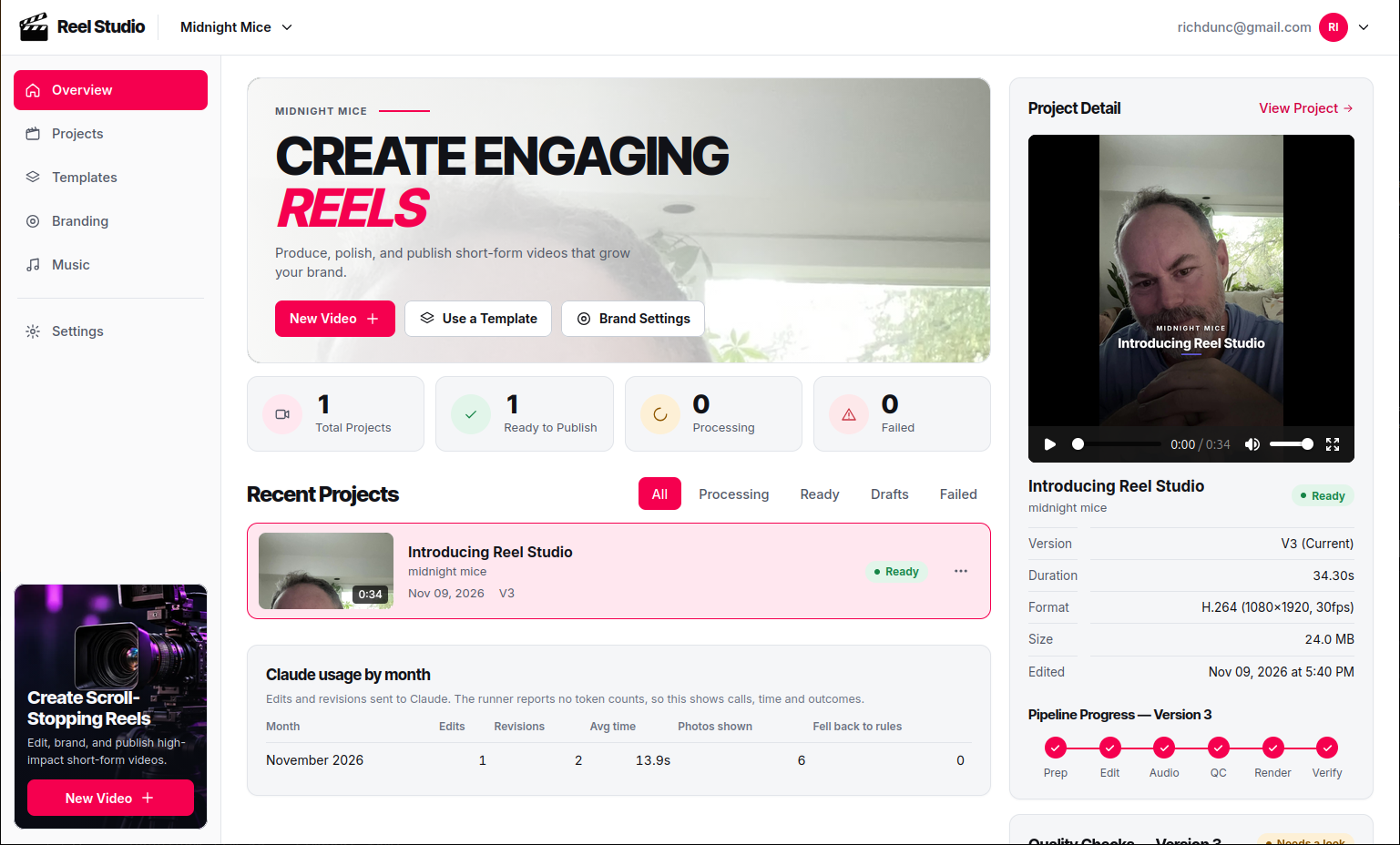
Small businesses and teams that publish short-form video usually need the same thing again and again: take a person talking to camera, cut out the pauses and fumbles, add captions, drop in photos at the right moments, put a branded title card at the start and an end card at the finish, and add music that does not fight the voice. Done by hand, each video takes an editor's time and a lot of repeated, fiddly decisions. Reel Studio packages that whole job as one pipeline behind a simple web interface. A user uploads a source video and photos, fills in a short brief, and receives an MP4, a cover image and a captions file. The app runs on the company's own server, keeps each business's data in its own workspace, and uses Claude for the editorial decisions that rules alone handle poorly.
The challenge
- Editing judgement is hard to automate.** Removing silence is easy. Deciding which sentences to keep, how to caption a question-and-answer, where a photo belongs, and how to spell a person's name as the client wrote it is not. - The output has to look like the brand, every time.** Titles, captions, colours, fonts, logo and end card must be consistent across videos and across businesses, and must not break when a title is long or a caption is crowded. - Quality details are easy to get wrong.** Abrupt jump cuts, photos that flash on and off right at a cut, music that drowns the speaker, and text that sits under the platform's own buttons all make a video look amateur. - Several businesses on one system.** Each business must see only its own videos, brand, templates and music, with no leakage between them. - Self-hosted and modest hardware.** The system runs on one virtual machine without a GPU, so long steps (transcription, music generation, rendering) have to be queued, time-limited and recoverable. - Non-technical users.** Anyone should be able to create, revise and download a video without learning a timeline editor, and ask for changes in plain language.
Goals
1. Produce a finished, platform-ready 9:16 video from a source video and photos with minimal input. 2. Use Claude for the editorial decisions, with a rules-based fallback so a video is always produced. 3. Give each business its own brand (name, tagline, logo, colours, fonts, call to action), templates and music. 4. Let users change a finished video quickly, either with a plain-language note to Claude or with one-click quick edits. 5. Give users control over the look of the cuts (hard, punch-in, eased or dissolve), pacing, zoom and photo fades. 6. Keep each workspace's data strictly separate and secure enough to put on the public internet. 7. Be honest about quality: record what Claude did, check the result automatically, and say clearly what has and has not been verified.
The approach
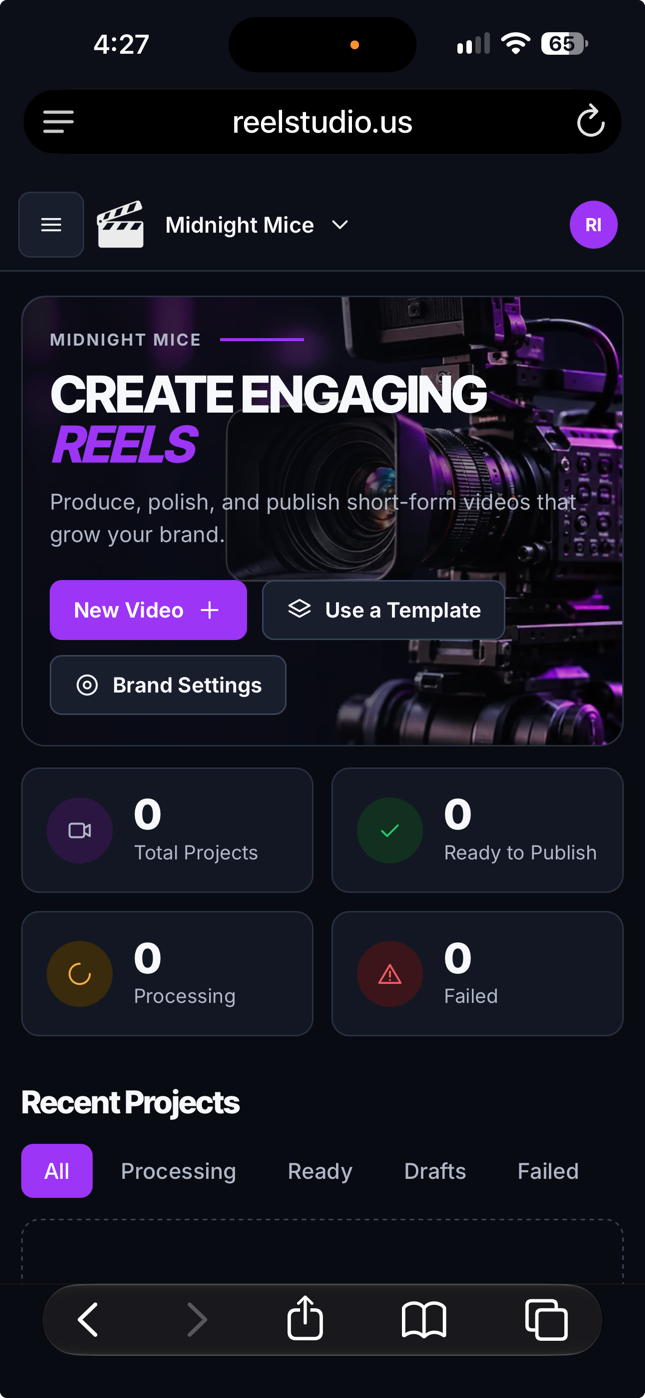
A staged pipeline: Each video moves through probe, transcribe, editorial, cut, music, photo preparation, compose, render, quality checks and verify. Work is split across three Celery queues (default, ml, render) so heavy steps do not block the rest. Revisions reuse earlier work and skip re-transcribing. Claude as editor: with guard rails. Claude receives the transcript, the brief, the brand and, when available, the photos as images, and returns a structured edit plan: which segments to keep, how to caption, where photos go, and which photos to use for the cover and end card. If Claude is unavailable, or a video is too long for its prompt, a rules-based editor takes over. Every Claude call is logged and shown to the user, and Claude is told to say so when a request cannot be done, not to pretend. Video built as code: The edit plan becomes a HyperFrames composition (HTML and GSAP) that is rendered to 1080×1920 MP4 with FFmpeg doing the cuts, audio fades and dissolves. Layout rules keep text in the safe area and keep photo fades away from jump cuts. An automated QA step checks those rules after every render. Options with sensible defaults: Cut style, pacing, zoom, photo fade length, end-card text, fonts and the cover and end-card photos can each be set at three levels: a built-in default, a template setting, and a choice on the create page. Anything can then be changed after the fact with a quick edit. Brand fonts: Twenty curated social-media fonts, including Fraunces, are self-hosted and offered in a dropdown. A business can upload its own font file (for example a paid font) after confirming it holds the licence. Files are validated before they are accepted. Multi-tenant security: Every view checks workspace membership. Downloads go through the web app's permission check and are then served by nginx. Logins are rate-limited, uploads are validated, sign-up is closed (accounts are created by the administrator), and the app runs behind an HTTPS reverse proxy. Designed, then restyled: The interface was rebuilt from a supplied design system and dashboard mockup, with light, dark and system themes, a sidebar shell, a project dashboard and a styled sign-in. It uses no external CDN. Built in small, verified steps: Each feature was added with automated tests, checked on the running server, and documented in the project's `CLAUDE.md` and `deploy/STATUS.md`. Problems found along the way were fixed in the open, for example the end-card text that could not be removed by asking Claude (it was fixed so Claude can change it), and the abrupt cuts that led to the cut-style options.
What was delivered
- Web application: running as managed services on a single server. - Workspaces and roles: with separate brands, templates, music libraries and videos, plus invites for existing users. - Brief form and pipeline: that takes a source video, optional photos, people's names, target length, music choice, cut options, cover and end-card photo choices and notes for Claude. - Claude editing: through an SSH runner, including image input for photos, Q&A-style captions and exact name spelling, with a rules-based fallback. - Revisions and quick edits: a new version from a plain-language note, or one-click changes to cover, end-card photo and text, title, cut style, music on or off, music regeneration and caption word fixes. - Cut-style controls: hard, punch-in, eased or dissolve cuts; tight, natural or relaxed pacing; zoom amount; photo fade length; short audio fades at every cut; and removal of tiny jumps. - Music: AI-generated background music per brand prompt, a per-workspace cache so a repeated prompt is reused, and a library for chosen tracks. - Branding: name, tagline, logo (light and dark), colours, caption style and position, call to action, and a font picker with 20 curated fonts plus workspace font uploads. - Downloads: MP4, cover JPEG, SRT captions and a zip, with video, QA report and a contact sheet on the video page. - Claude usage log: a per-video panel and a monthly summary on the dashboard.
Want something like this for your business?
A 30-minute call to talk through how your business runs today. No pitch deck, no pressure.